Home / Getting started
The dashboard
The dashboard is your home page: it summarizes the activity that matters to you, and its content depends on your role.
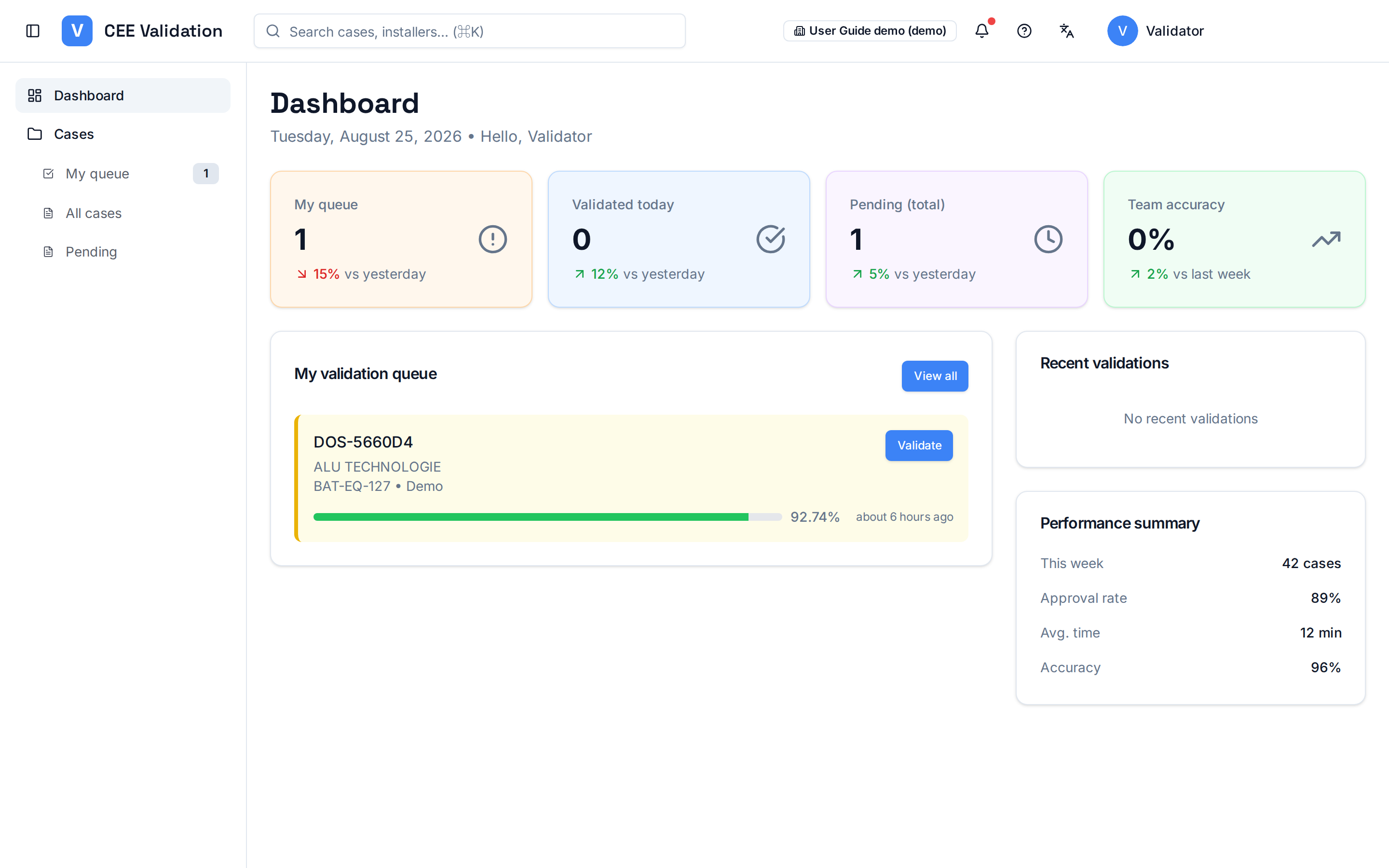
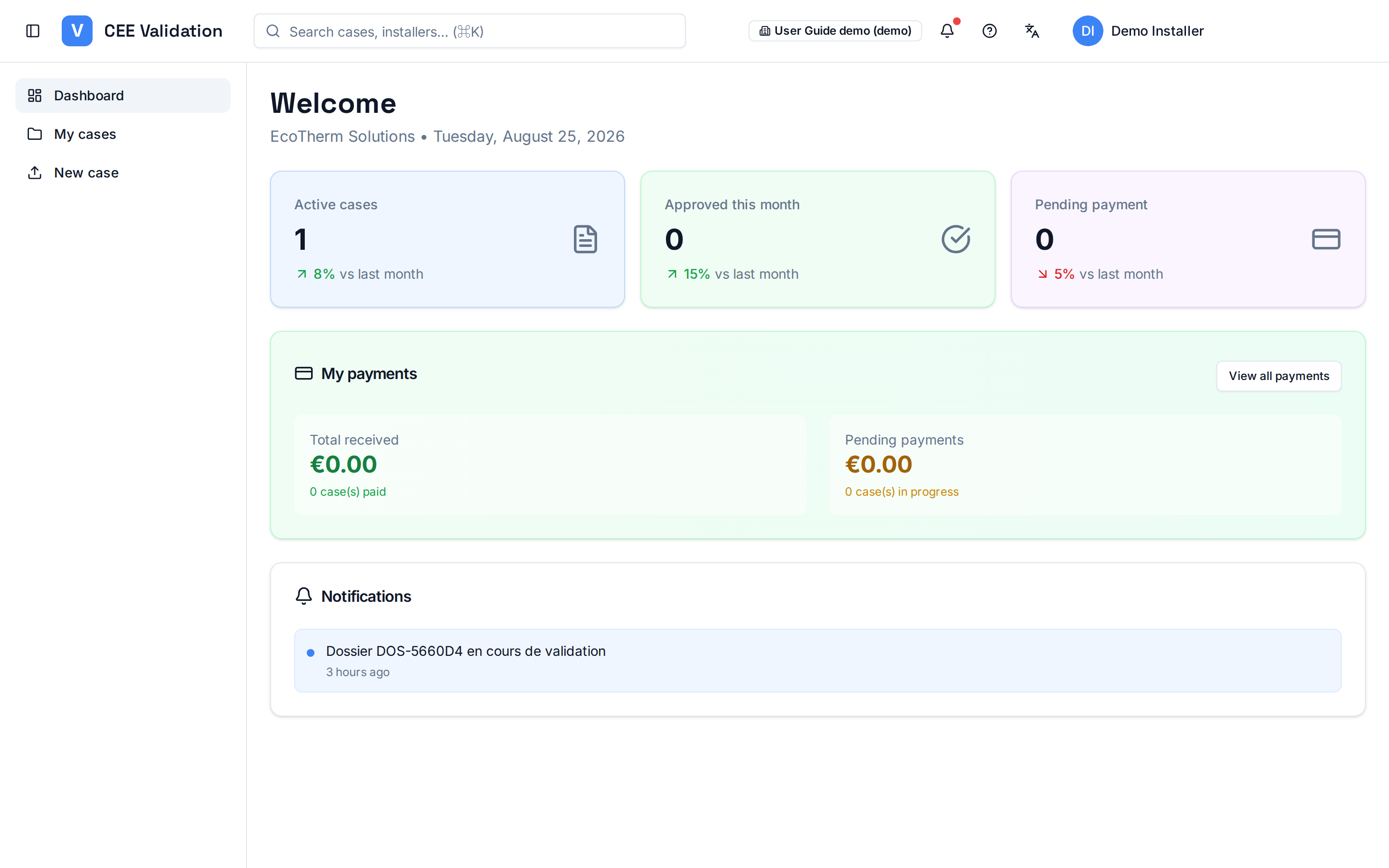
After signing in, you land on the dashboard. It does more than show numbers: each card leads to an action and takes you to the matching screen.
Validators track their queue, today's validations and team accuracy. Installers track active dossiers, this month's approvals and payments. The side menu — also role-specific — leads to the other screens.
The header gives access to global search (dossiers, installers), notifications, the language switcher (French/English) and your profile.
Screenshots
Steps
- Check your indicatorsThe cards on top summarize what needs your attention: queue for validators, active dossiers for installers.
- Open a section from the side menuThe left menu lists your screens: “My queue” and “All cases” for validators; “My cases” and “New case” for installers.
- Use global searchThe top bar (⌘K shortcut) finds a dossier or installer by name, reference or beneficiary.
- Switch language if neededThe language icon in the header switches the whole interface between French and English.