Home / Getting started
Signing in
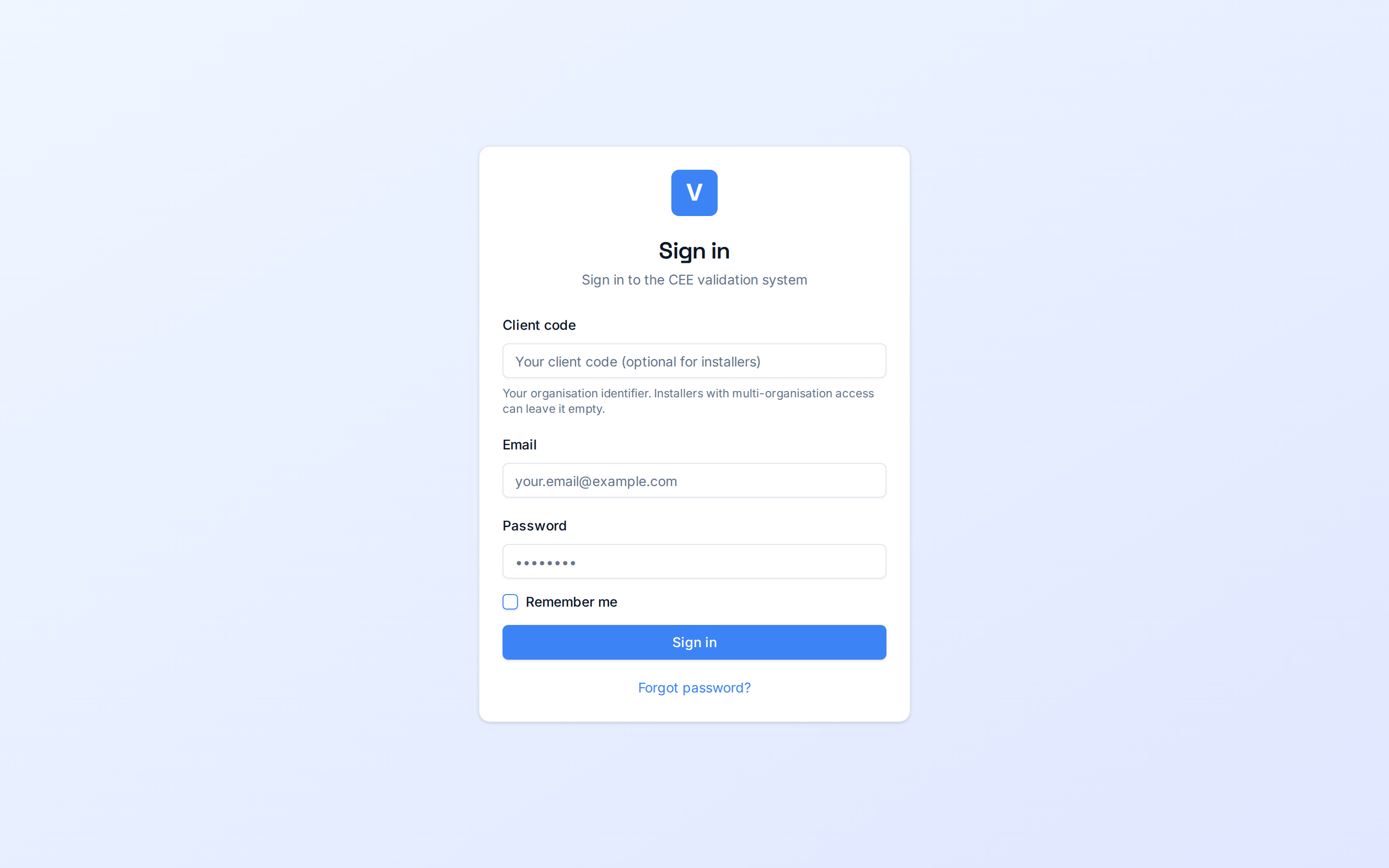
The sign-in page gives you access to your iverif workspace with your email, password and organization code.
iverif is a private workspace: every user belongs to an organization (a “client”) and only sees that organization's dossiers. Signing in therefore requires three pieces of information: your organization code, your email and your password.
Your credentials are provided by your administrator. The role attached to your account (installer, validator, administrator or obligator) determines which screens you can access after signing in.
Screenshots
Steps
- Open the sign-in pageGo to your organization's iverif address. You land on the “Sign in” page.
- Enter the Client CodeThis is your organization's identifier, provided with your credentials (for example “demo”). Installers attached to several organizations can leave it empty and pick the organization after signing in.
- Enter your email and passwordUse the work email registered by your administrator. The password is case-sensitive.
- Click “Sign in”You land on your dashboard, tailored to your role. Tick “Remember me” to stay signed in on this device.
Watch out
⚠️ After several failed attempts, sign-in is temporarily rate-limited: wait a minute before trying again.
⚠️ If you forgot your password, use the “Forgot password?” link below the sign-in button.
Glossary
| Term | Definition |
|---|---|
| Client Code | Your organization's unique identifier in iverif. |