Tracking your dossiers
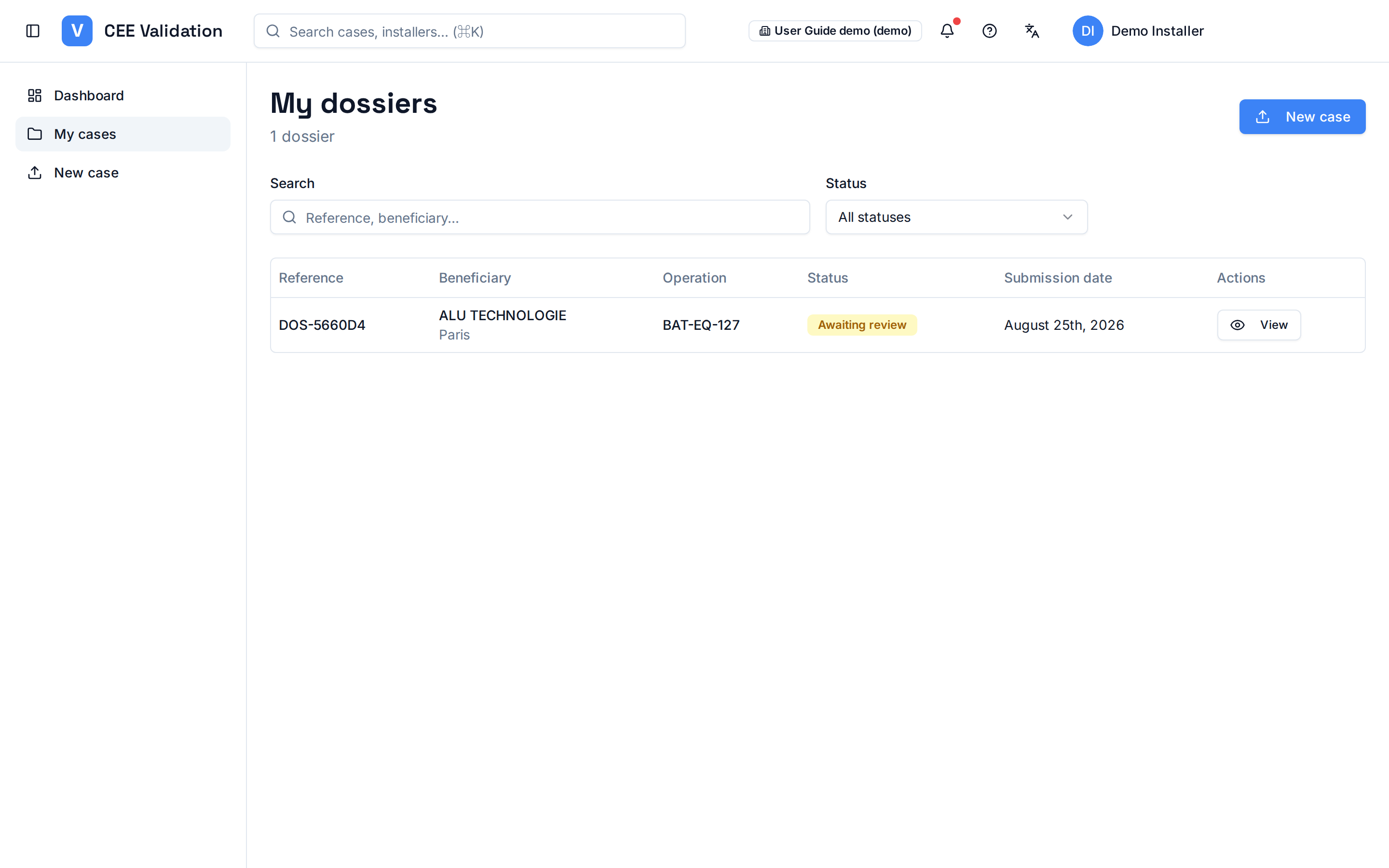
“My dossiers” lists your submissions with their live status, from AI processing to the validator's decision.
As soon as a dossier is submitted, it appears in “My dossiers”. Its status follows the processing cycle: AI document analysis, data extraction, rule checking, then waiting for human review.
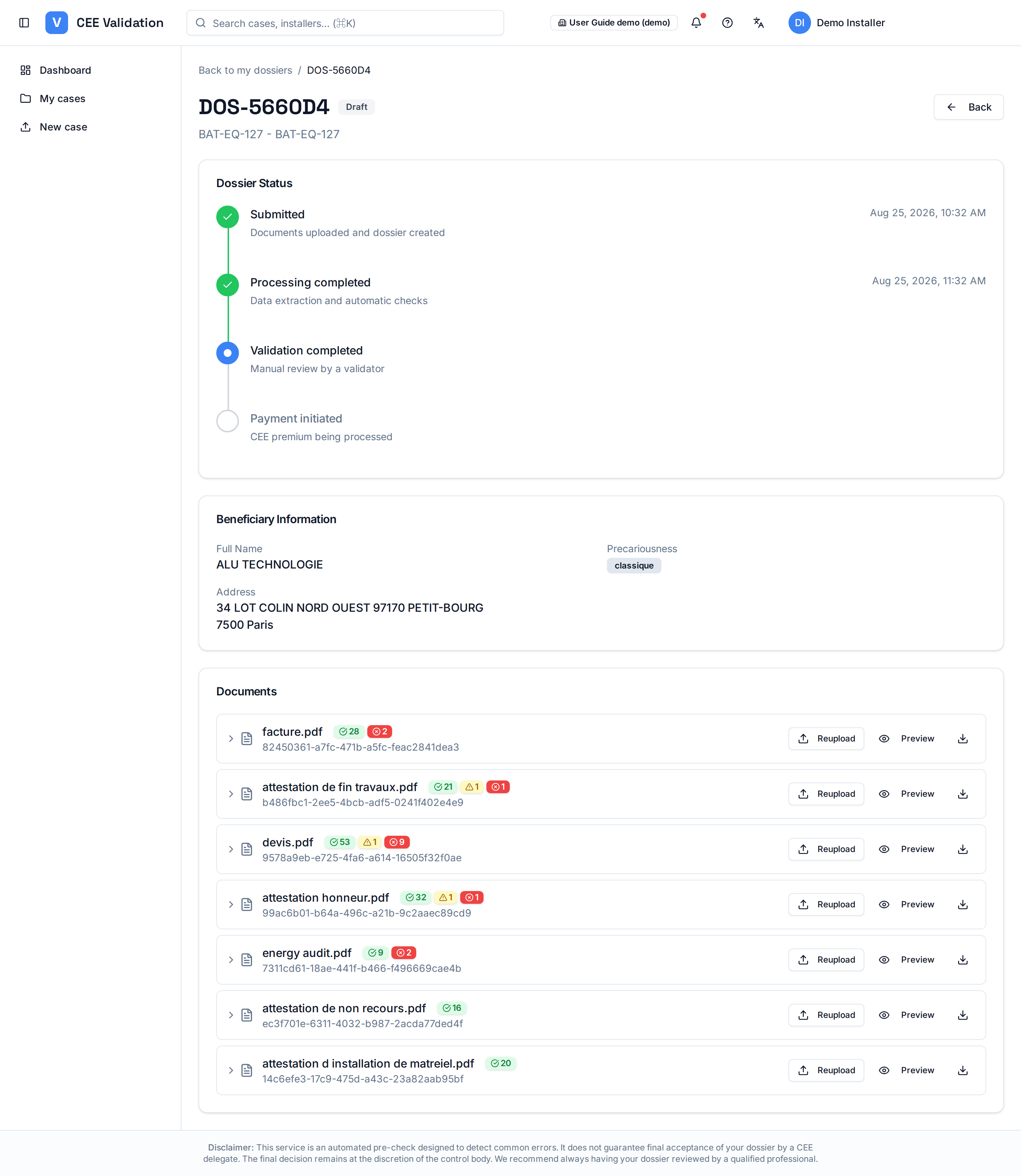
A dossier's detail shows a four-step progress timeline — Submitted, Processing completed, Validation completed, Payment initiated — and, for each document, the number of passed, warning and error rules. Enough to see at a glance where the dossier stands and which document is causing trouble.
When the validator requests an additional document, the dossier comes back to you: you are notified and the affected document is flagged in the dossier detail. You replace it directly from that screen.
Screenshots
Steps
- Open “My cases”The side menu lists your submissions, newest first, with their status.
- Check each dossier's statusProcessing, awaiting review, approved, rejected or document to reupload: the status badge tells you where the dossier stands.
- Open a dossier's detailClick “View” at the end of the row: the progress timeline shows the current step, and each document displays its rule outcomes (passed, warnings, errors).
- Reupload a document when askedIf a document carries the “Reupload needed” badge, replace it from the dossier detail: analysis automatically restarts on that piece.