Managing obligators
Obligators are the energy suppliers partnering in your CEE programme — their contract, account and access live here.
In the CEE scheme, “obligés” are the energy suppliers required to deliver energy savings — they fund the programmes and claim the certificates. On iverif, an obligator account lets these partners track dossiers submitted on their behalf.
Each obligator record carries the company (name and SIRET) and the reference of the contract binding the obligator to your organisation. This link determines which dossiers the obligator sees in their workspace.
You can create an obligator (with the associated user account), edit its details, or deactivate it. Deactivation blocks the associated user's login — the application warns you explicitly first.
Screenshots
Steps
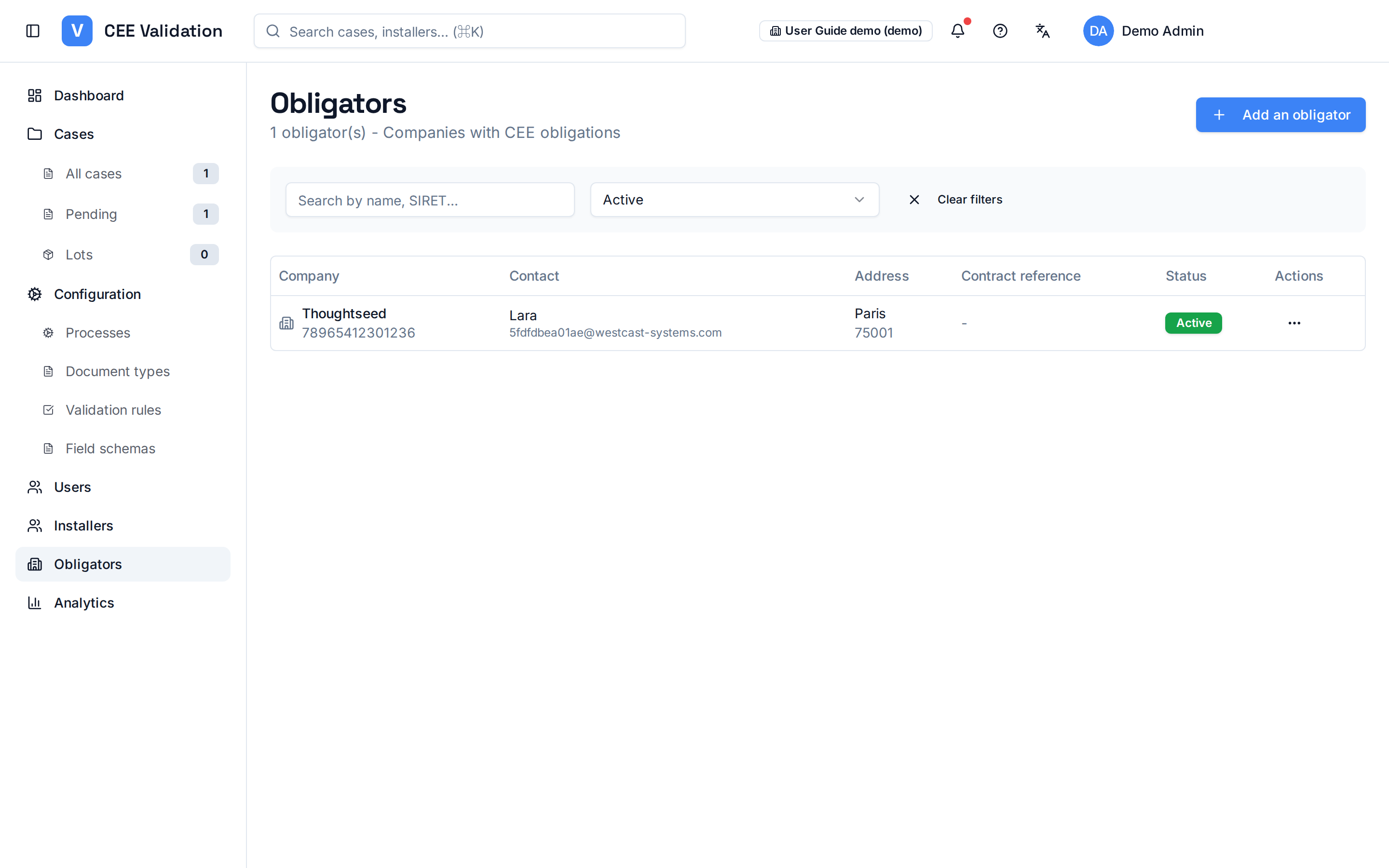
- Open ObligatorsSidebar → “Obligators”. The partner list appears with company, SIRET and contract.
- Create an obligatorFill in the company, SIRET and contract reference; the associated user account is created with its access.
- Edit a recordUpdate company details or the contract reference if the partnership evolves.
- Deactivate if neededDeactivation prevents the associated user from logging in — the displayed warning states this before confirmation.
Watch out
Glossary
| Term | Definition |
|---|---|
| Obligator | Energy supplier subject to an energy-savings obligation under the CEE scheme. |