Configuring operation fiches
The process is the container: the creation wizard attaches required documents, validation rules and specific settings to it.
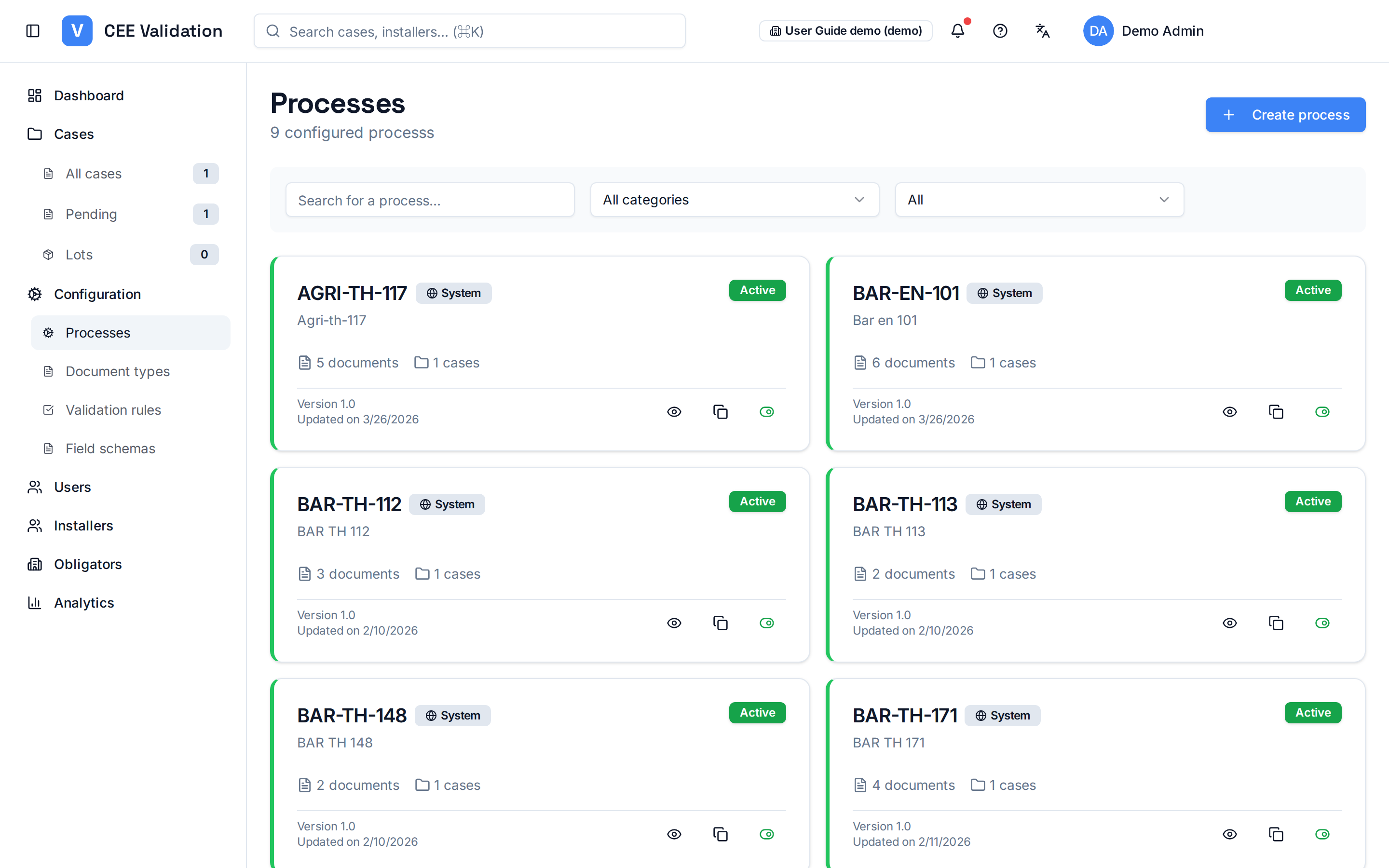
Each standardized operation fiche (BAR-TH-104, BAR-TH-174, BAR-EN-102…) maps to a “process” in iverif: the container that bundles the required documents and the validation rules framing dossier analysis. The Processes page shows these fiches as cards. “System” fiches (globe badge) are provided by iverif and shared: they cannot be edited, but you can clone them to create a variant specific to your organisation.
Process creation happens in a four-tab wizard: “Basic information” (code, name, category), “Required documents” (the dossier pieces), “Validation rules” (cross-document checks) and “Specific settings” (kWh formula, climate zones, RGE certifications, auto-approval threshold). Two buttons close the wizard: “Save draft” keeps the process invisible at upload, “Activate” offers it to installers immediately.
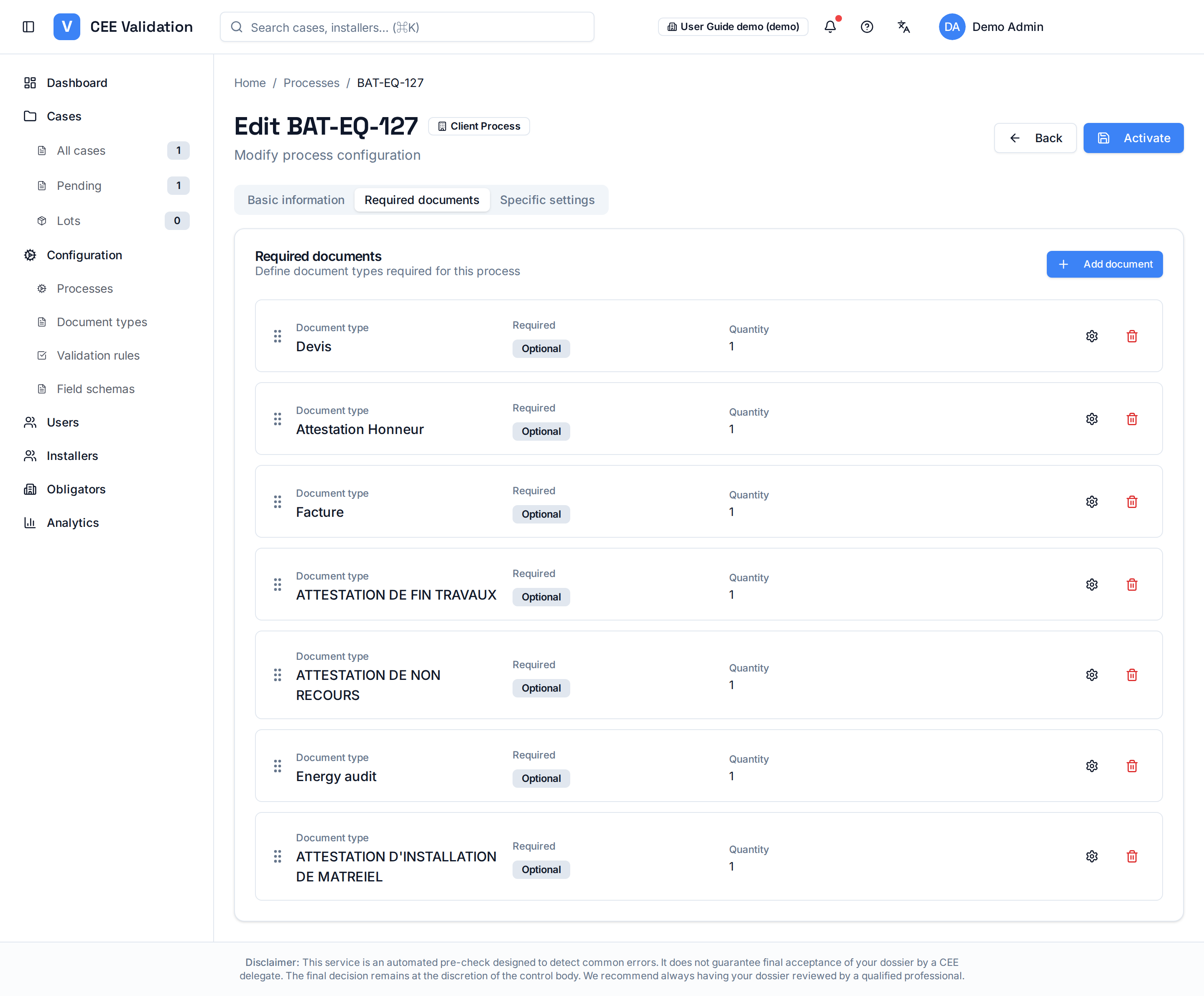
The “Required documents” tab is where the process takes shape: the “Add document” button attaches a document type to the process and opens a dialog where you set whether it is Required or Optional, the expected minimum and maximum quantity, and an optional condition (an expression such as beneficiary.precarite !== 'CLASSIQUE') that makes the piece mandatory only in certain cases. A missing optional document does not block the dossier; a missing required one does.
The wizard's “Validation rules” tab attaches the checks that cross several pieces to the process — you can select existing rules or create a new one on the fly (see “Configuring validation rules”). Note: once the process is created, its detail page shows only three tabs (Basic information, Required documents, Specific settings); rule attachment is managed at creation time, then from the Rules page.
A process is “Active” (offered to installers at upload) or “Draft” (in preparation). Only custom processes can be deleted; system fiches remain available to everyone.
Screenshots
Steps
- Open Configuration → ProcessesThe grid of all fiches appears, system and custom mixed; filter by category or search a code (e.g. BAR-TH-174).
- Create or clone a processThe create button opens the four-tab wizard; on a system fiche, the clone action first creates an editable copy attached to your organisation.
- Fill in the basic informationFiche code, display name, category: this is the process identity installers will see.
- Attach the required documentsIn the “Required documents” tab, “Add document” associates a document type with the process; set Required/Optional, min/max quantities and the optional condition for each piece.
- Attach the validation rulesIn the “Validation rules” tab, select existing rules or create a new one: they will check the fields extracted from the process's documents.
- Tune the specific settingskWh formula, climate zones, RGE certifications and the auto-approval threshold complete the fiche.
- Save as draft or activate“Save draft” keeps the process invisible at upload; “Activate” makes it available to installers. You can toggle Active/Draft from the grid later.
Glossary
| Term | Definition |
|---|---|
| Standardized operation fiche | Official PNCEE document describing an eligible energy-saving operation (e.g. BAR-TH-174: thermodynamic water heater). |