Home / Administrator workspace
Organising batches
Batches group dossiers for submission and tracking with the PNCEE — create, track and delete them here.
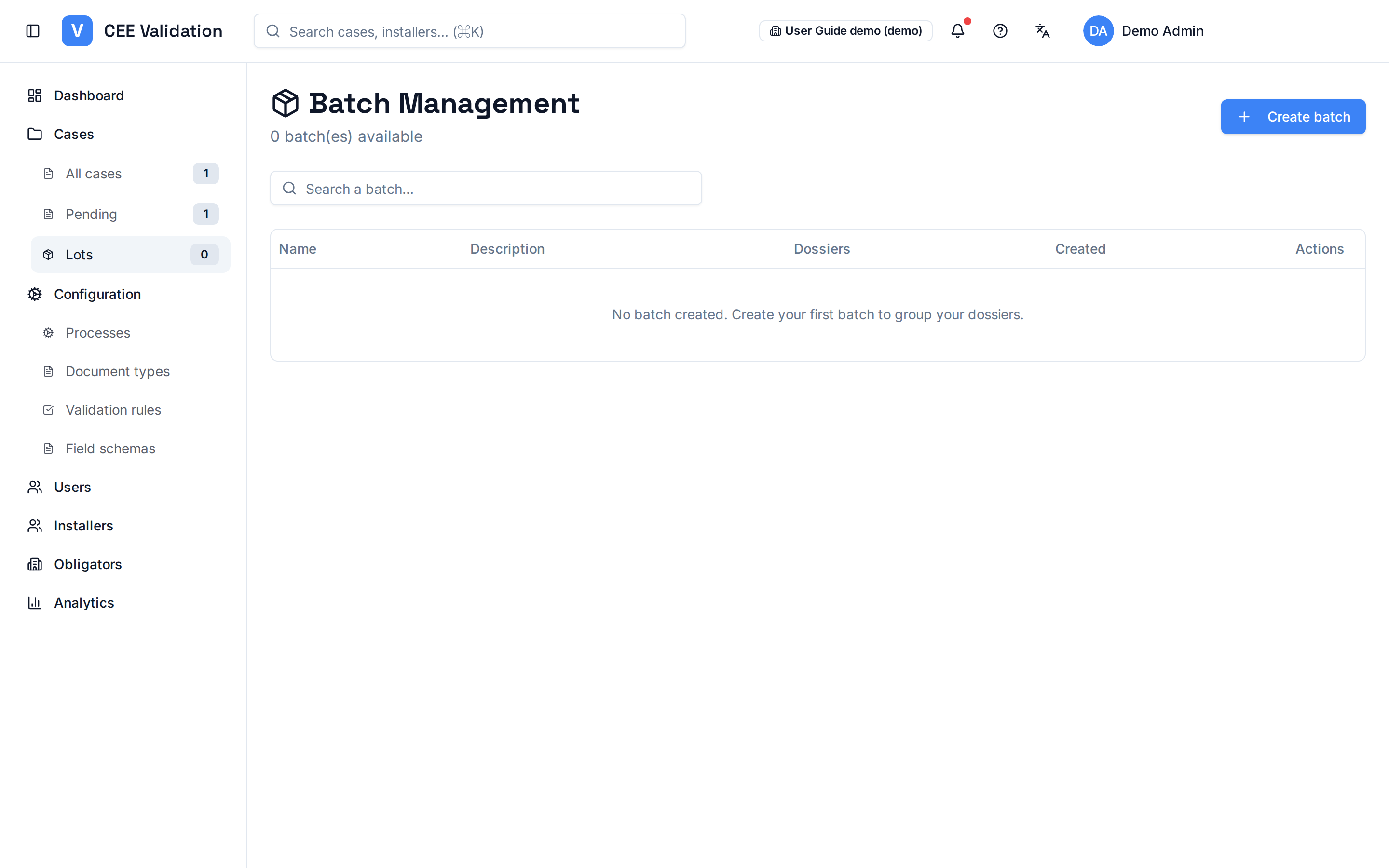
A batch is a grouping of approved dossiers meant to be submitted together to the Pôle National des Certificats d'Économies d'Énergie (PNCEE). It is the management unit of your valuation campaigns.
The page lists batches with name, description and contained dossier count. Explicit naming — geographic zone, period, programme — makes tracking easier: “Martinique Mars 2026” is the example suggested by the application itself.
Creation happens through a simple form (name + description). Deleting a batch is possible but irreversible: the application warns that its dossiers will be deleted with it.
Screenshots
Steps
- Open LotsSidebar → “Lots”. All your existing batches appear.
- Create a batchClick “Create batch”, enter an explicit name and description, then confirm.
- Track fillingThe contained dossier count shows per batch — track each campaign's ramp-up.
- Delete with careDeleting a batch also erases the dossiers it contains: read the displayed warning carefully before confirming.
Watch out
⚠️ Deleting a batch also deletes the dossiers it contains — the application warns you explicitly before confirmation.
Glossary
| Term | Definition |
|---|---|
| Batch | Grouping of approved dossiers for a grouped PNCEE submission. |
See also
Steering with analyticsVolumes, processing times, AI accuracy and team performance — the steering dashb…A dossier's lifecycleFrom upload to billing: every status a CEE dossier goes through in iverif, and w…Configuring operation fichesThe process is the container: the creation wizard attaches required documents, v…