Approving or rejecting
The final decision is taken process by process: the dossier is approved only when all its fiches are.
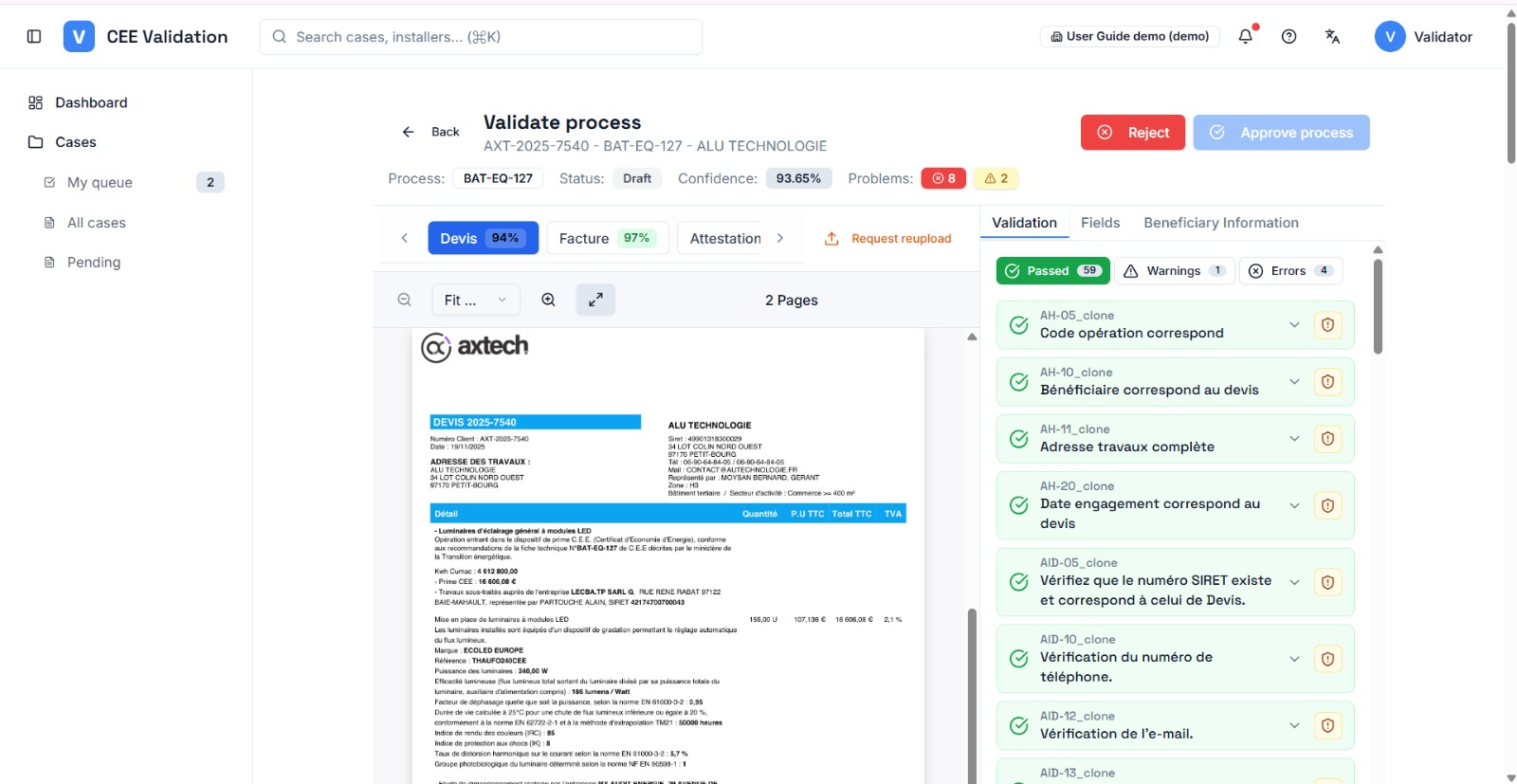
When the review is finished, two buttons appear in the workspace header: “Reject” and “Approve process”. They act on the current fiche — if the dossier has several fiches, each has its own tab and its own decision.
Approval triggers one last full check: iverif first saves your edited fields, re-runs the final validation, then approves if no blocking error remains. When the dossier's last fiche is approved, the whole dossier automatically moves to “Approved”.
The approve button is greyed out while blocking errors exist without correction or override — hovering explains why. Rejection always requires a reason, which is passed on to the installer.
Screenshots
Steps
- Finish the fiche reviewFields checked, rules reviewed, errors corrected or overridden: the Confidence badge should reflect a ready dossier.
- Click “Approve process”iverif saves your changes and re-runs the final validation — wait for the check (it can take a few minutes).
- Move to the next fiche if neededFor a multi-fiche dossier, repeat the review on each process tab. The dossier is approved automatically when the last fiche is.
- Or reject with a reasonClick “Reject”, enter a clear reason for the installer (missing document, non-compliance…) and confirm.
- Or request an additional documentIf only one document is the problem, prefer “Request reupload” over rejection: the installer replaces the document and analysis restarts on that piece.