Home / Installer workspace
Submitting a new dossier
The “New Case” wizard guides you through three steps to submit the documents of a CEE project: upload, review, submission.
A dossier gathers all the supporting documents of an energy-saving operation: quotes, invoices, sworn statements, photos… iverif analyzes them as soon as they are submitted to check compliance with the relevant CEE fiche (for example BAR-TH-174).
The wizard enforces one simple rule: one dossier = one beneficiary = one or more operation fiches. You drop each document into the category expected by the fiche, so the AI reads and checks every piece in the right place.
After submission, processing is automatic: all you have to do is track progress from “My cases”.
Screenshots
Steps
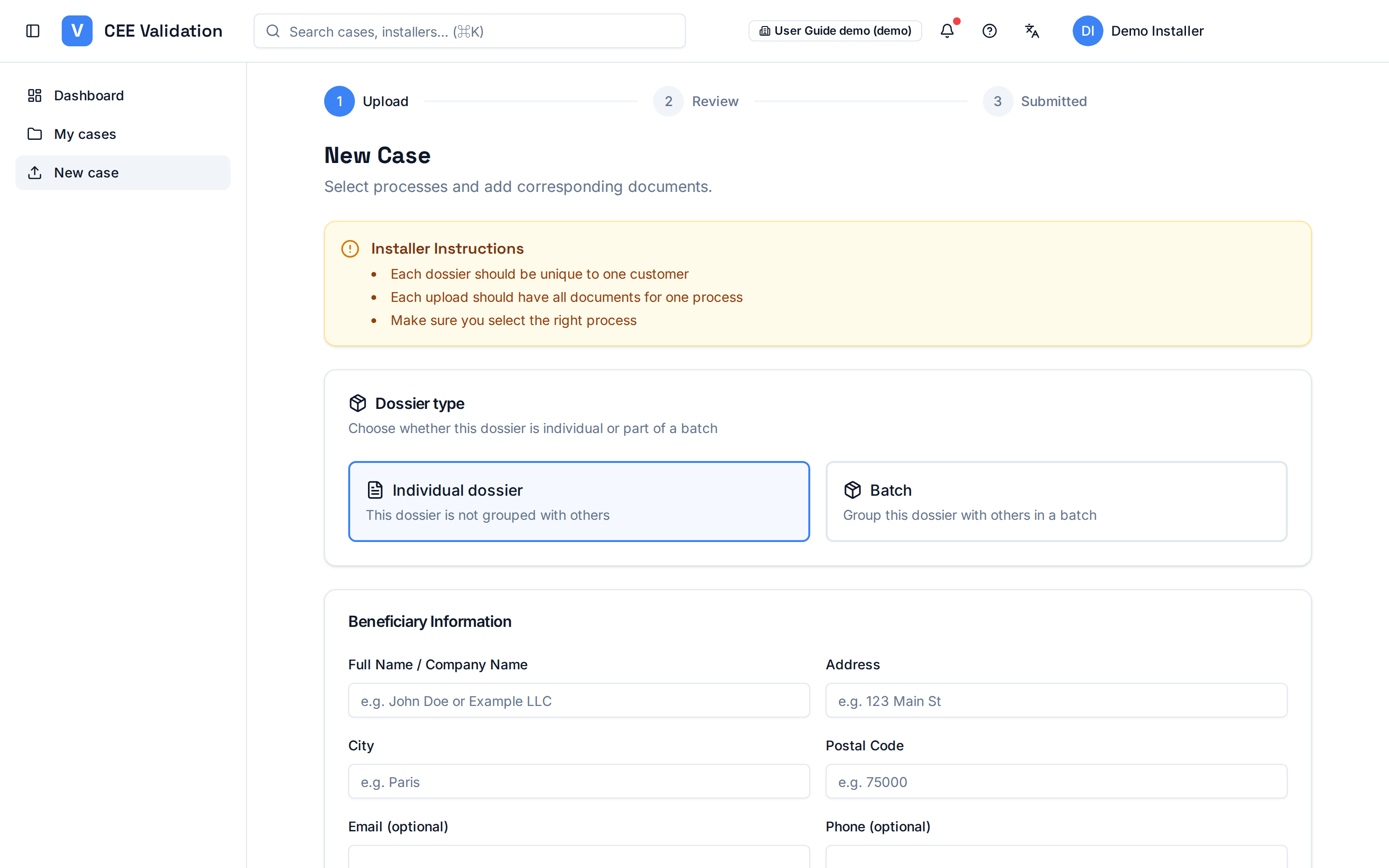
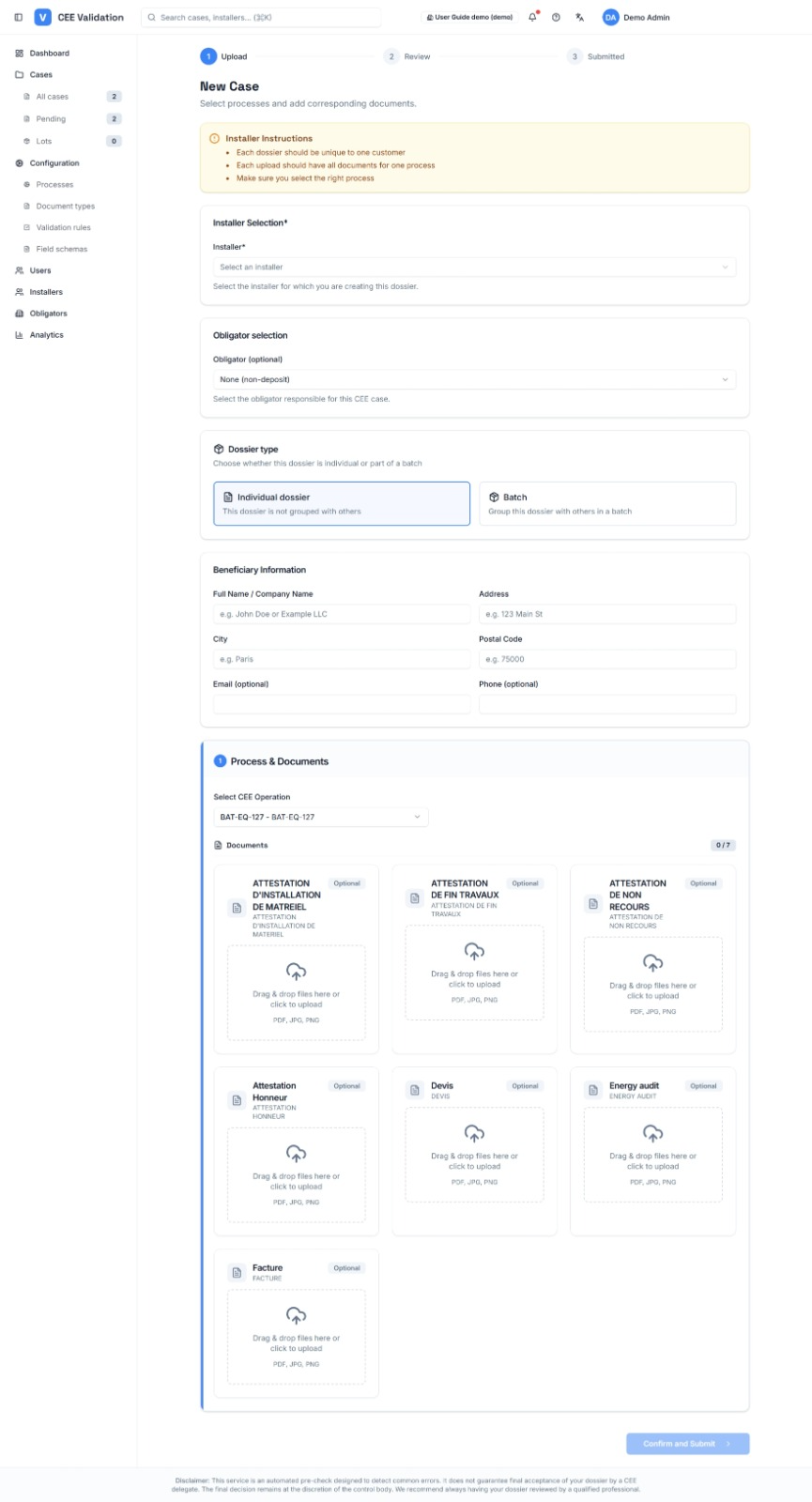
- Open “New case”In the side menu, click “New case”. The wizard opens at step 1 “Upload”.
- Read the instructions, then pick the dossier typeThe two cards — “Individual dossier” for a single project, “Batch” to group several similar dossiers submitted together — set how the dossier is tracked.
- Fill in the beneficiary informationFull name or company name, address, city, postal code. Email and phone are optional but useful if more information is requested.
- Select the obligator and deposit typeChoose the obligator (the energy company that will monetize the CEE) and indicate whether this is a deposit or non-deposit under your agreement.
- Add the operation fiche(s)Select the CEE process matching the works (for example BAR-TH-174). You can add several fiches to the same dossier.
- Drop the documents by categoryFor each fiche, the wizard lists the expected documents (quote, invoice, sworn statement…). Drop each PDF into its zone: a misfiled document corrupts the check.
- Review, then move to the “Review” stepRe-read the summary: beneficiary, fiches, documents. Fix anything before confirming.
- Submit the dossierClick “Confirm and Submit”: at the “Submitted” step, the dossier enters automatic processing. Its status becomes visible in “My cases”.
Watch out
⚠️ Each dossier must be unique per customer: do not submit the same project twice.
⚠️ Only PDFs are accepted; make sure each document is readable (not upside-down scans, not truncated).
Glossary
| Term | Definition |
|---|---|
| Operation fiche | Regulatory CEE template describing an eligible type of works (e.g. BAR-TH-174) and its conditions. |
| Obligator | Energy supplier legally bound to deliver energy savings; it monetizes the CEE. |
| Beneficiary | Person or company for whom the works were carried out. |