Configuring document types
Each document type embeds its field schema: the data the AI extracts, targeted by validation rules.
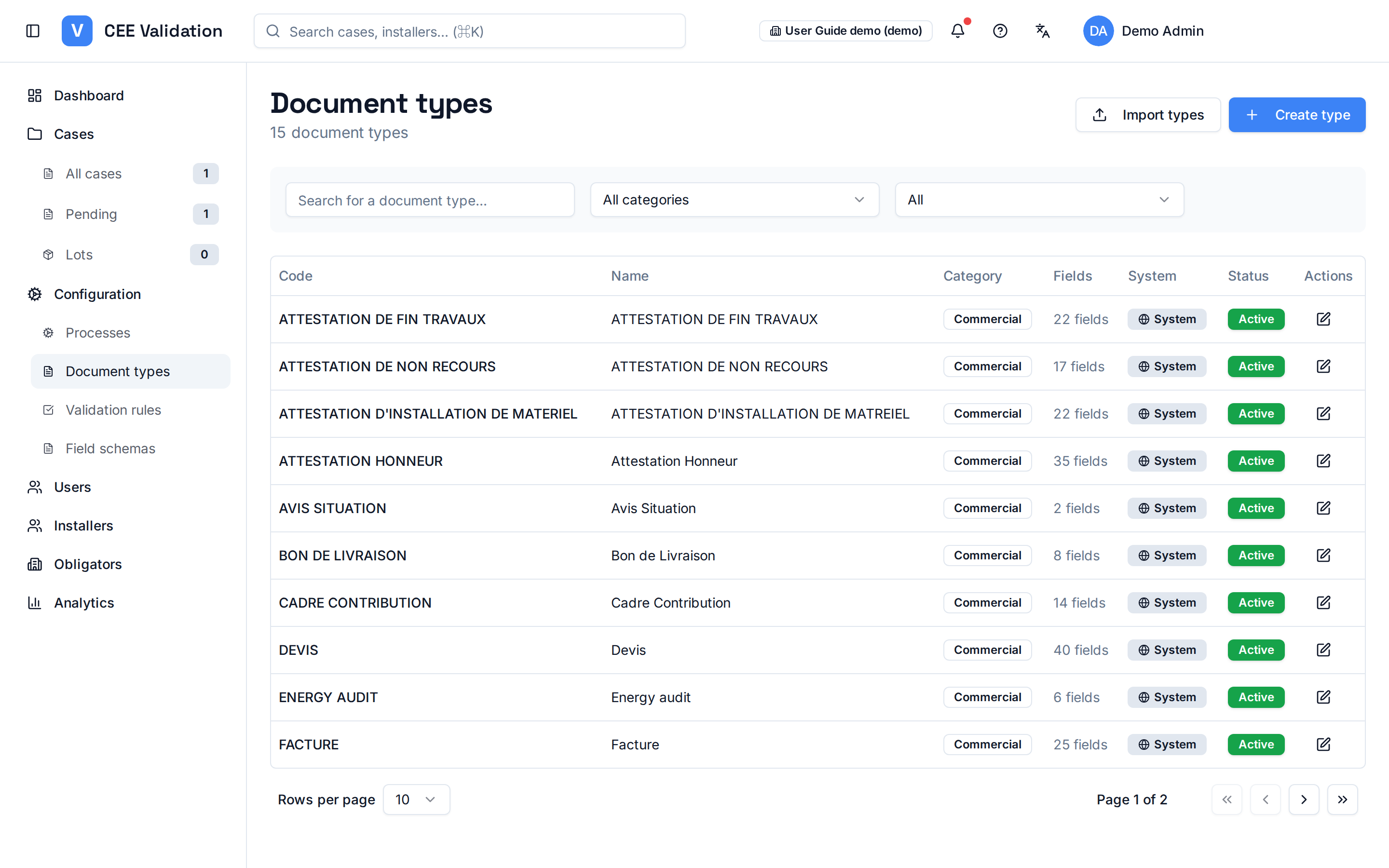
A document type describes one piece of the CEE dossier: quote, invoice, sworn statement, energy audit, installation photo… The Document types page lists them by category — commercial, legal, administrative, technical, photos — each with its extracted-field count. “System” types are provided by iverif and aligned with official fiches; you can create custom types for pieces specific to your organisation.
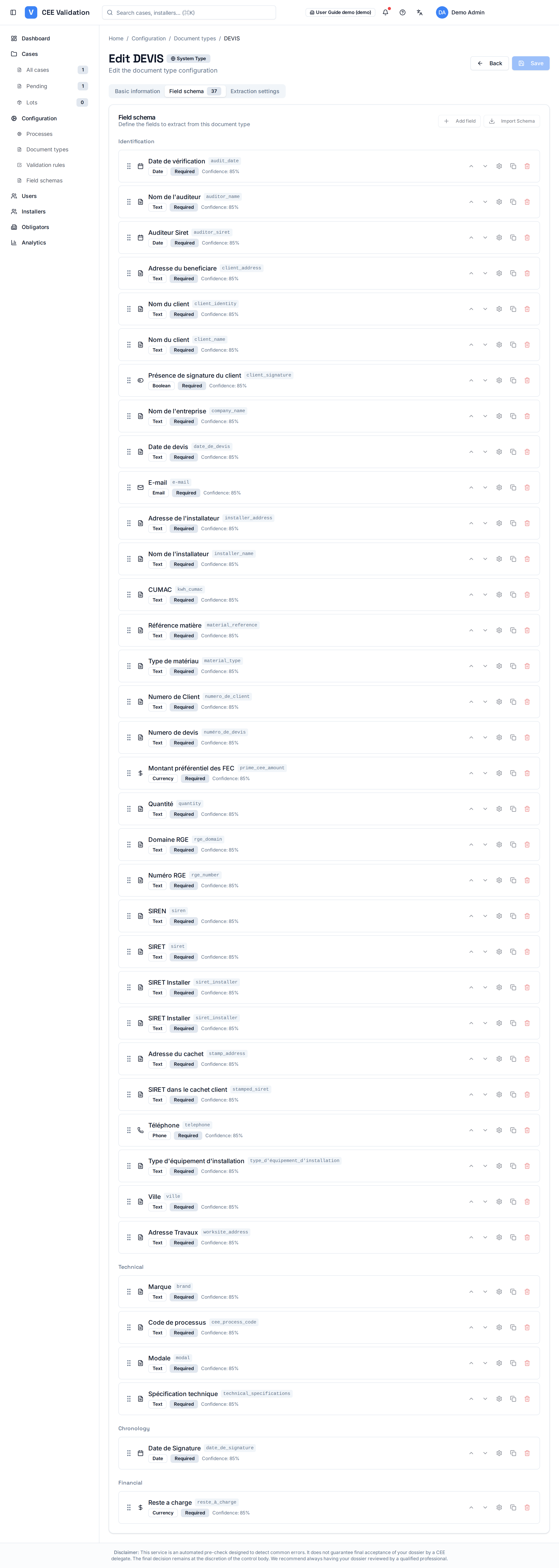
The core of a document type is its field schema: open a type and switch to the “Field schema” tab (its badge shows the field count, e.g. 37 for Devis). This is where you define precisely what the AI must read from the piece — each field has a name, a data type (Date, Text, Boolean, Email, Currency, Phone…), a Required flag or not, and a confidence threshold (e.g. 85%) below which the extracted value is flagged rather than accepted. Fields are grouped by family (Identification, Technical, Chronology, Financial) to stay readable.
Two buttons feed the schema: “Add field” creates a field by hand; “Import Schema” bulk-imports an existing schema. The fields defined here become the “Target Fields” that validation rules can check (see “Configuring validation rules”).
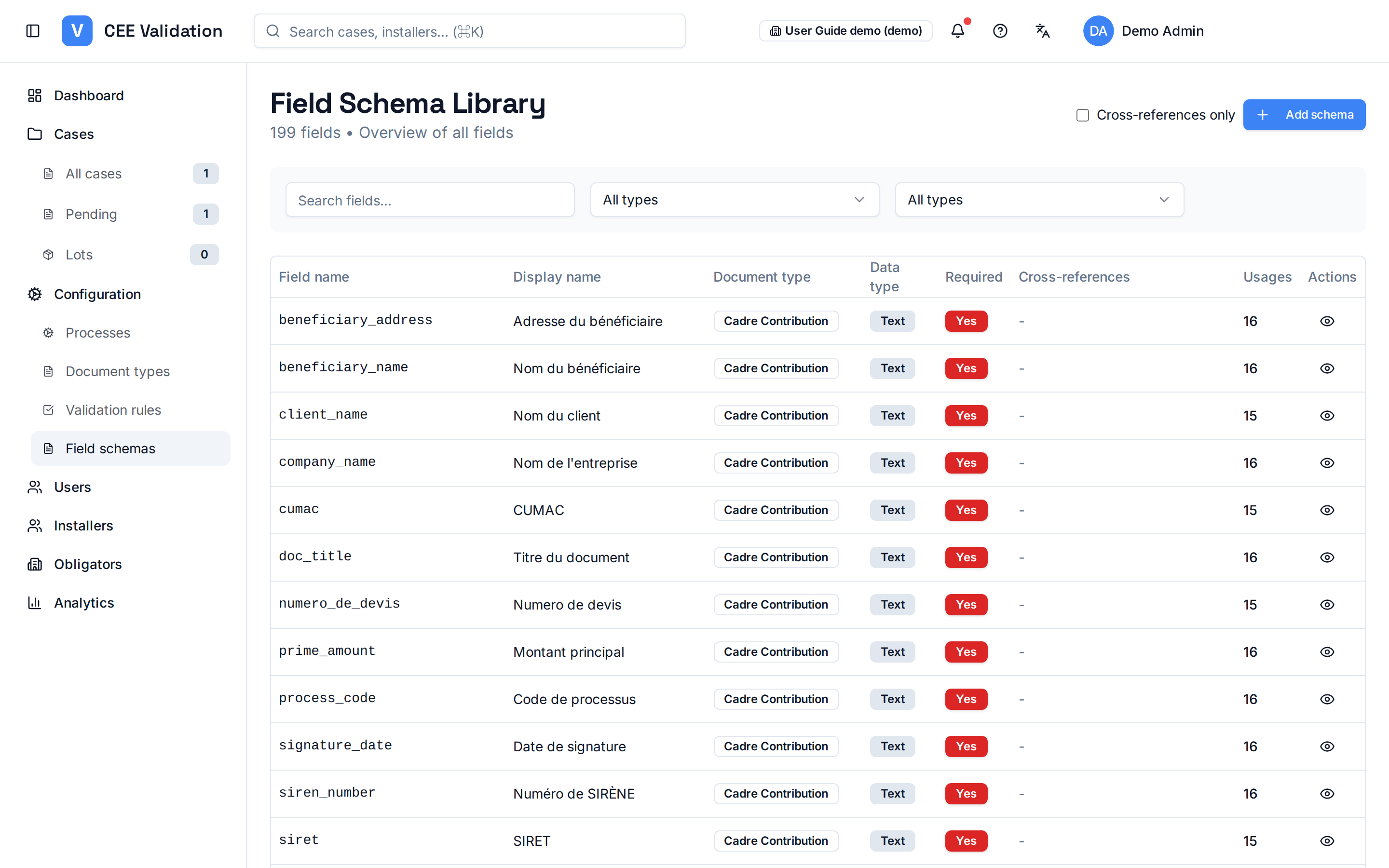
The “Field Schema Library” page (Configuration → Field schemas) offers the cross-cutting view: every field of every type, with cross-references and usage counts — handy to check a field is not duplicated before creating a new one via “Add schema”.
A document type used by a process cannot be deleted: the application blocks deletion to protect the consistency of fiches referencing it.
Screenshots
Steps
- Open Configuration → Document typesThe full list, grouped by category, appears; search finds a type quickly (e.g. DEVIS).
- Open the type and switch to the “Field schema” tabThe tab badge shows the field count; fields are grouped by family with their data types and Required badges.
- Add or import fields“Add field” creates a field by hand (name, type, required, confidence threshold); “Import Schema” bulk-imports an existing schema.
- Check the Field Schema LibraryConfiguration → Field schemas gives the cross-cutting view: each field's cross-references and usages across all types, before you create a duplicate.
- Respect dependenciesIf a type's deletion is refused, processes are using it: edit the affected processes first (“Required documents” tab).